By CodeScanTech ·
A kiosk scanner should be selected around the transaction it supports, not simply the largest decoding specification. A visitor presenting a phone, a customer scanning a parcel label and an operator inserting a ticket create different reading conditions. Start by describing that interaction before shortlisting hardware.
Start with one complete transaction
Write down what the user presents, where they stand, what the host expects and how success is communicated. For example, a collection terminal may read a QR code and pass the decoded text to a controller. The controller must still validate the code and decide whether to release the parcel. A successful scan is not the same as an authorized transaction.
Define failure behavior as well. What happens if the code has expired, the network is unavailable or the user presents the same code twice? These decisions influence data handling and feedback, even when the optical reader itself works correctly.
Build a representative barcode sample set
Collect the actual formats your application will accept. Include the smallest expected codes, normal print variations and the range of phone displays customers may use. Test the delivered code, not just a large, clean example generated for a demonstration.
If your application generates the QR code, keep its full boundary visible and avoid placing interface controls over it. Record the displayed size and normal brightness range. These conditions form a useful request for sample evaluation and prevent teams from comparing readers using different test material.
Select within the installed geometry
Measure the distance from the finished front panel to the expected code position. Check the opening, mounting depth, cable bend space and approach angle. A reader that works openly on a desk may behave differently behind the final protective window or a recessed metal panel.
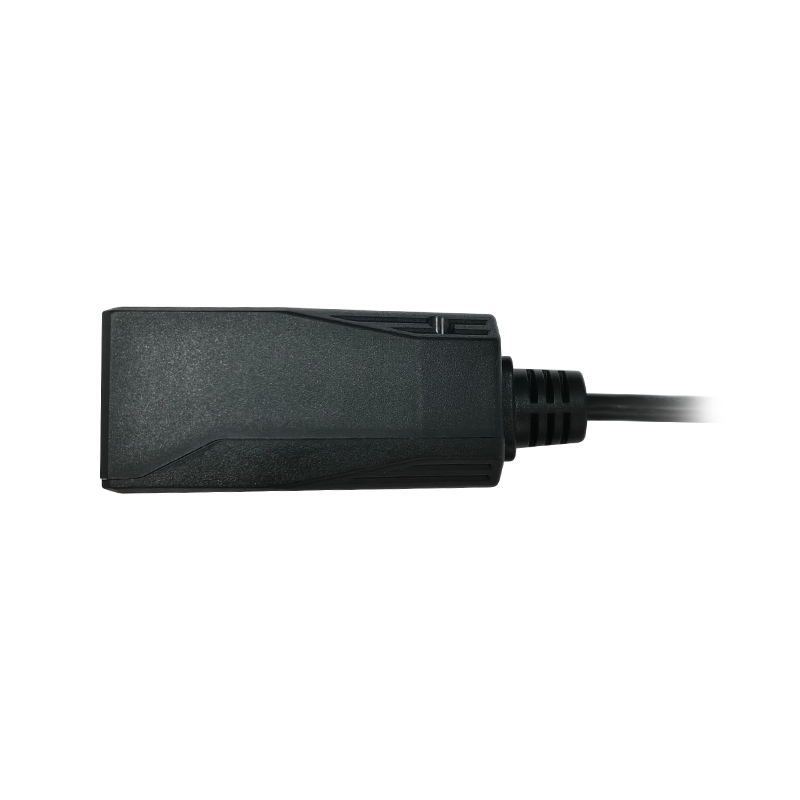
For fixed-mount barcode scanners, compare mechanical dimensions and available connection options first. The EM430 product page is one starting point for reviewing a compact fixed-mount design; suitability still depends on your installed sample test.
Agree on the host interface before ordering
Specify the host hardware, supply voltage, connector, interface and expected output. Do not treat all serial connections as interchangeable. A USB keyboard-style input and a serial data stream can also behave differently inside the kiosk application. Use the USB, UART and RS-232 integration guide to prepare the electrical and software questions.
Set acceptance criteria for the whole kiosk
- Can first-time users find the reading area without assistance?
- Are representative codes captured in the intended position and lighting?
- Does each accepted scan produce the correct action, without duplicate input?
- Does the application recover after a disconnection or restart?
- Can the scanner and cable be serviced without redesigning the panel?
Set pass criteria with your project team rather than borrowing a generic success-rate target. Record the hardware configuration, firmware settings and test conditions so that the approved sample can be compared with later production units.
Common selection questions
Is a scan engine always better than an enclosed reader?
No. A scan engine can offer integration flexibility, while an enclosed reader may reduce mechanical work. Compare the complete installation effort, electrical needs and service access.
Should I choose a model before contacting a supplier?
No. A clear application brief and sample codes are enough to start. See our kiosk application guidance or discuss your kiosk project with CodeScanTech.